Google Meet czy Microsoft Teams
Opublikowano: 2025-03-01
Ten artykuł nie jest jeszcze w pełni przetłumaczony na ten język — poniżej wersja angielska.

Google Meet or Microsoft Teams
Not sure which platform to choose? This guide helps you decide
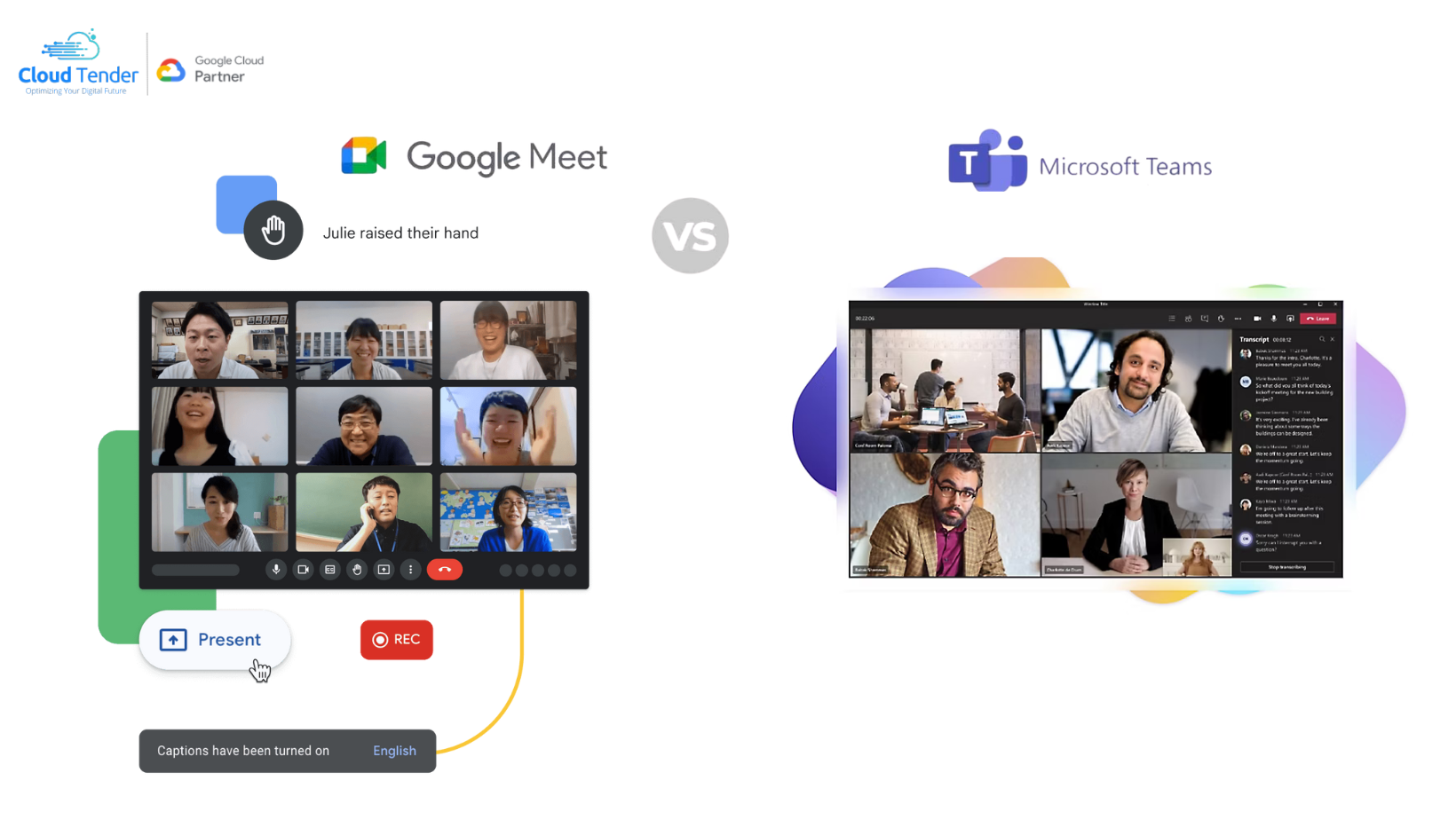
Stuck between [Google Meet](https://cloudtender.hu/google-meet-2/) and Microsoft Teams, and not sure which one to choose for your video conferencing needs?
Our guide helps you navigate the options!
We compare the free plans, features, security solutions and mobile apps so you can more easily find the platform that suits you best. The guide helps you decide which one better meets your needs: user-friendly simplicity or feature-rich collaboration. Read on and gain valuable insights that can help you and your team make an informed decision!
Pricing
Both Microsoft Teams and Google Meet offer free plans that you can start using immediately.
The free version of Microsoft Teams is primarily designed for personal use, such as keeping in touch with friends and family. Although it has no free plan for business use, the personal version can still be used with limited features.
The free plan of Google Meet offers more flexible options, supporting up to 100 participants in an unlimited number of meetings of up to 60 minutes each, similar to Microsoft Teams.
Both platforms offer several paid plans. Microsoft Teams divides its pricing plans into Business and Home categories, but in this comparison we focus on the business plans.
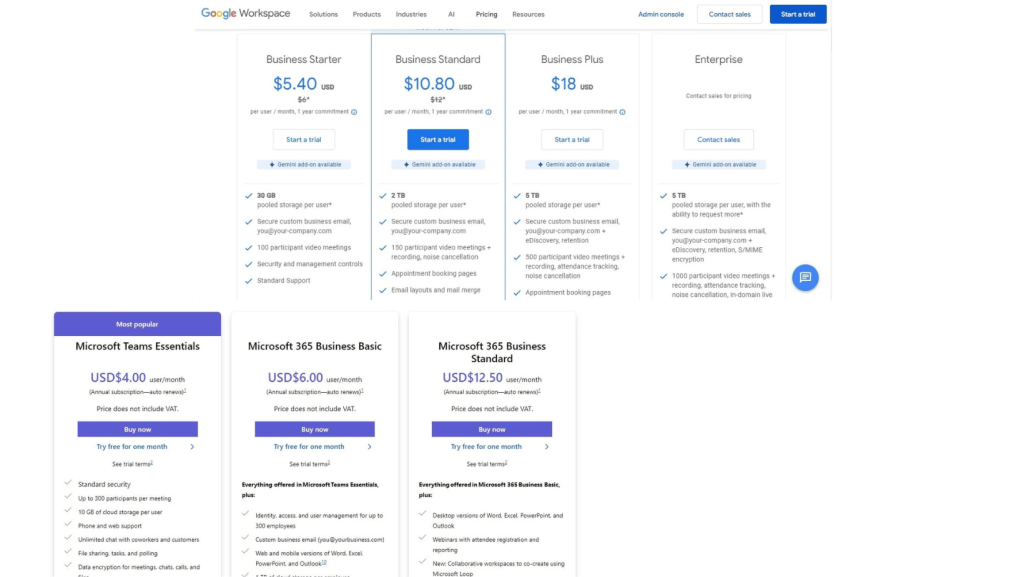
[Google Meet](https://cloudtender.hu/google-meet-2/)'s lowest-priced plan starts at $6 per month, while Microsoft Teams' cheapest business offer is $4 per month (excluding tax). Microsoft Teams allows meetings of up to 30 hours, while Google Meet limits this to 24 hours, regardless of the plan. In addition, Microsoft Teams increases the maximum number of participants to 1,000, while Google Meet supports up to 500 in Business plans and up to 1,000 in Enterprise plans.
Microsoft Teams' entry-level paid plan provides 10 GB of cloud storage, which is twice the storage offered in the free plan. [Google Meet](https://cloudtender.hu/google-meet-2/), on the other hand, provides 30 GB of storage already in the basic plan.
Cloud storage
Organizations that want to preserve the decisions and interactions made during meetings need to consider the cloud storage capacity offered by conferencing tools. At first glance, Google Meet seems to be the more favorable choice in this respect.
Google Meet offers 15 GB of cloud storage per user in its free plan, and the paid plans provide 30 GB of storage.
In contrast, Microsoft Teams offers 5 GB of cloud storage in its free plan, and paid plans start at 10 GB.
Although Microsoft Teams provides ample cloud storage for meeting recordings, it still lags behind Google Meet in this category.
Settings and reactions
Audio and video settings, as well as reaction settings, are key to maintaining productivity during virtual meetings, especially at large conferences where sensitive information is shared. Effective host controls and quick feedback options increase security and simplify meeting processes as collaboration tools. Google Meet and Microsoft Teams provide various tools for hosts and co-host organizations to manage meeting features. For example, they can control participants' use of cameras and microphones.
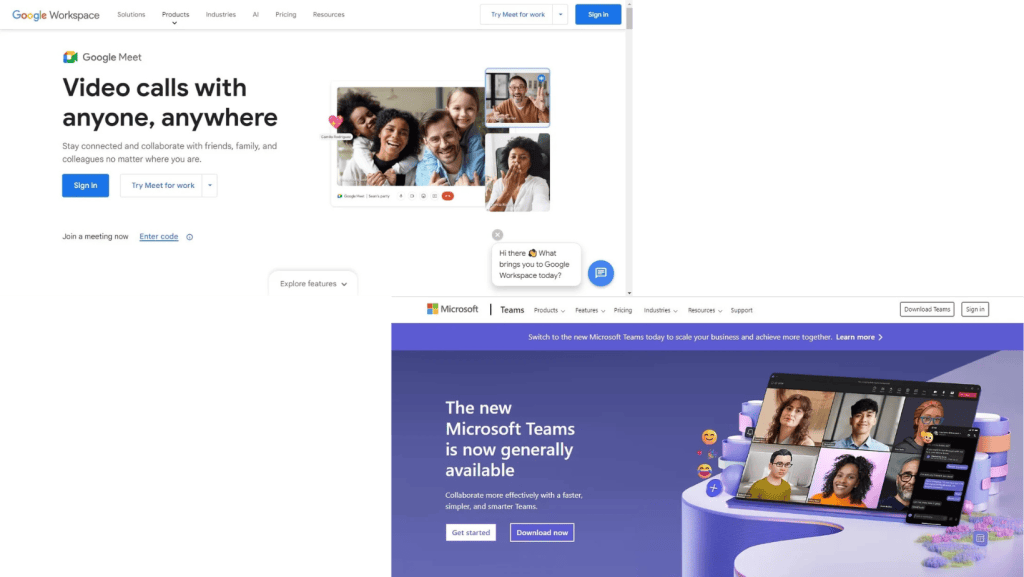
Both platforms allow hosts to control feedback by enabling or disabling reactions such as hand raising and emoji responses.
The hand-raising features in both tools allow participants to contribute without interrupting the speaker or the flow of the meeting. After their questions are answered, participants can lower their hands, and hosts or presenters have the option to lower all raised hands.
Emoji reactions available in different colors provide a simple way for participants to give feedback during meetings.
User interface
Ease of use is a primary priority for the many participants of a meeting. A clean interface makes navigation intuitive and reduces the need for tutorials.
Google Meet:
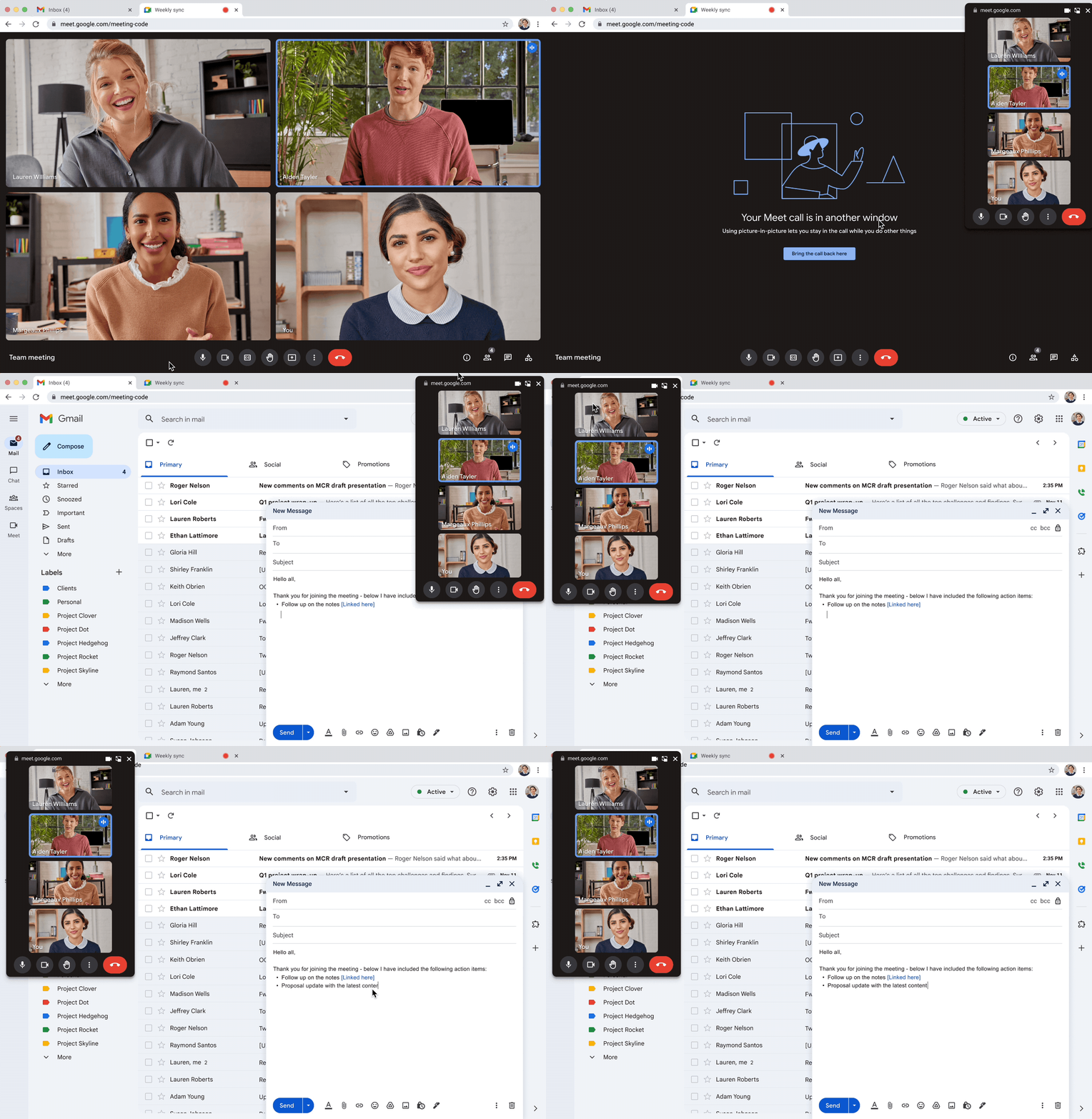
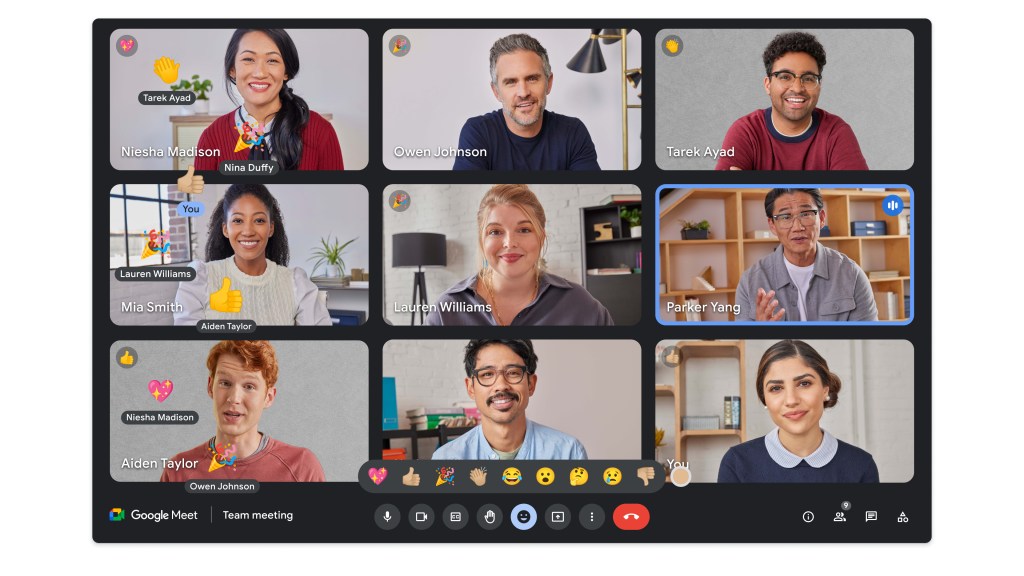
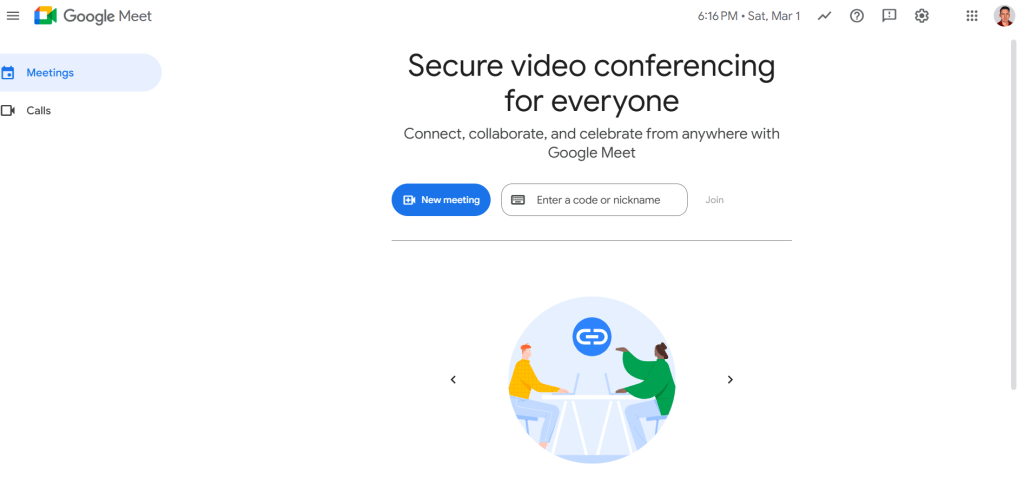
Google Meet stands out with its minimalist design. With a few tabs and screens, and invitations in Google Calendar, it promotes a focused meeting experience. The functionality is consistent across desktops and mobile devices, ensuring a seamless transition between devices.
Try Google Workspace for free
See why millions of companies like and choose Google Workspace to meet their business needs.
Let's compare the communication and video conferencing services and features of Google Meet and Microsoft Teams.
Both Google Meet and Microsoft Teams offer a robust communication toolkit to enhance meetings as a video conferencing tool:
Webinars:
Microsoft Teams stands out with its extensive webinar services. You can schedule webinars, register participants, hold interactive presentations and analyze attendee data, all within Teams.
The essentials:
Both platforms offer meeting recording, in-meeting chat, breakout rooms, polling and screen sharing. They also provide live transcription and automatic captioning for better accessibility. Both platforms offer captions in many languages, which is a blessing for international teams.
Organization:
Although the basic features are similar, their appearance differs. Teams allows file sharing, as well as public and private chat during meetings.
Meeting length
Meeting length is a key factor to consider when choosing the right video conferencing tool or solution for your team. Meetings often last longer than planned due to unexpected discussions and off-topic conversations. The last thing you want is for the conferencing platform to interrupt an important conversation because it exceeded the time limit. To avoid this, choose a conferencing tool that provides flexibility in meeting length. Fortunately, both Google Meet and Microsoft Teams provide sufficient duration for meetings in every plan.
Both platforms allow group meetings of up to 60 minutes for free users, which according to recent statistics fits well with the average duration of meetings.
For paid plans, Google Meet offers video calls of up to 24 hours. This flexibility ensures that you don't have to worry about time limits, whether you are organizing personal meetings or group sessions.
Maximum number of participants
The free plans of Google Meet and Microsoft Teams are quite similar, each allowing meetings with up to 100 participants. This is ideal for small businesses and teams with limited budgets that need free conferencing features.
As for paid plans, Google Meet supports 100–1,000 participants.
Microsoft Teams also supports 100–1,000 participants in the enterprise plan.
Support
Both Google Meet and Microsoft Teams are aware of the importance of uninterrupted collaboration. To this end, they offer robust support options to resolve any questions or technical difficulties that may arise during meetings.
Free resources:
Each platform maintains a comprehensive help center that offers detailed articles, FAQs and troubleshooting guides for users. This allows users to quickly find solutions to common problems. Concise and informative tutorial videos are available to help users master new features. These tutorials can be particularly useful for those who prefer visual learning methods.
Both platforms foster vibrant user communities through online forums. These forums allow users to connect with peers, share best practices and find solutions together.
Business users:
For organizations with an Enterprise plan, Google Meet and Microsoft Teams offer priority support as a video conferencing tool. This means that support requests submitted by these organizations receive expedited attention, ensuring that their business-critical meetings stay on track. If you upgrade to a paid plan on either platform, online support is available 24 hours a day, 7 days a week. This ensures that business users get immediate help whenever needed and minimizes disruption to the workflow.
Security
Google Meet and Microsoft Teams prioritize user privacy and data protection with robust security features and protocols.
Single Sign-On (SSO):
Simplify sign-in by allowing users to access the conferencing platform and other business applications with a single set of credentials.
User and device management:
Control access and permissions to ensure that only authorized users and devices participate in meetings.
Encryption:
Data is encrypted both in transit (during meetings) and at rest (during storage), protecting sensitive information.
Multi-Factor Authentication (MFA):
An extra layer of security that requires users to verify their identity beyond a password.
Protection programs:
Optional, high-level security protocols for organizations with the strictest data protection requirements.